Modul Ollama Chat Assistant | Chatbot AI Joomla Offline dan Online
Explanation:
- The file named mod_ollama_chat_v1_up j3.7_j4_j5.zip is specifically intended for Joomla version 3.7 and above, with a minimum requirement of PHP 7.xx. For Joomla 4.xx and 5.xx, PHP 8.1 or higher is required.
- The file named mod_ollama_chat_v0.8_J3.0-J3.6.x.zip is specifically intended for Joomla versions 3.6.x and below, and requires a minimum of PHP 5.xx.
Download membaca kecepatan token AI Lokal
1. Complete Explanation of the Ollama Chat Assistant Module for Joomla, Including All Technical Aspects and Functionalities:
- Module Description
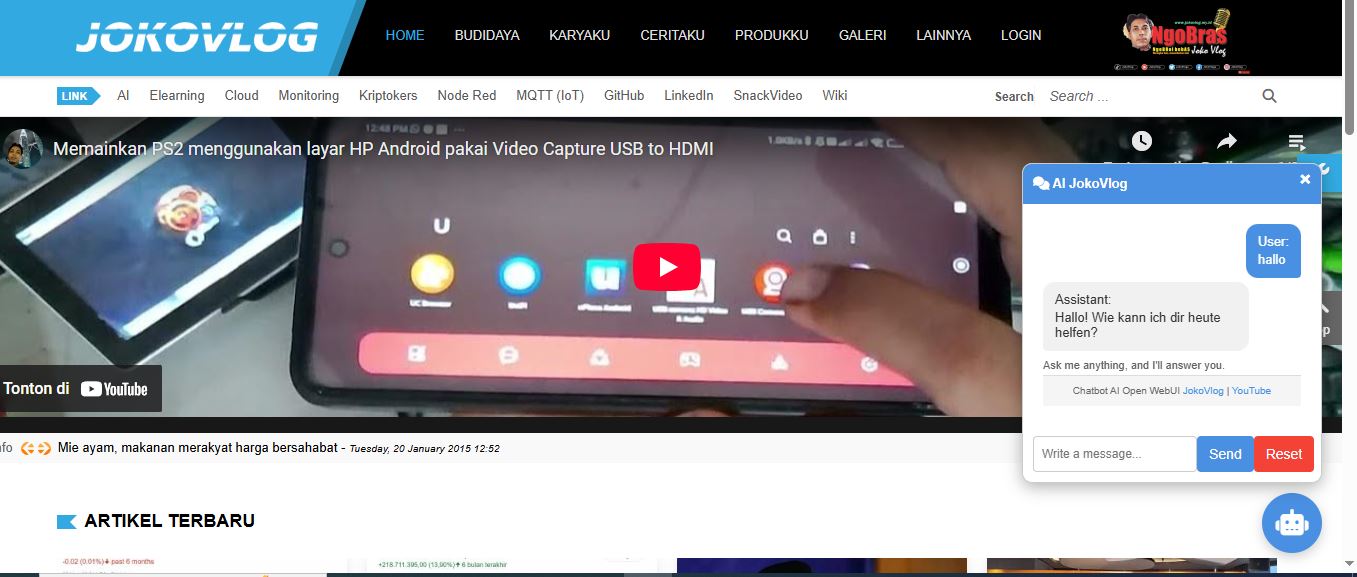
This module adds an Ollama-based AI Chatbot to a Joomla website. Its main features include:
- Floating chat display in the corner of the screen
- Integration with the Ollama API (self-hosted or cloud-based)
- Conversation history stored in session
- Supports various AI models (Llama3, Mistral, etc.)
2. System Requirements
| Component | Minimum Version |
| Joomla | 3.xx, 4.xx, 5.xx |
| PHP | 5.x, 7.x,8.x |
| PHP Extensions | cURL, JSON |
| Ollama Server | v0.1.20+ |
3. How It Works
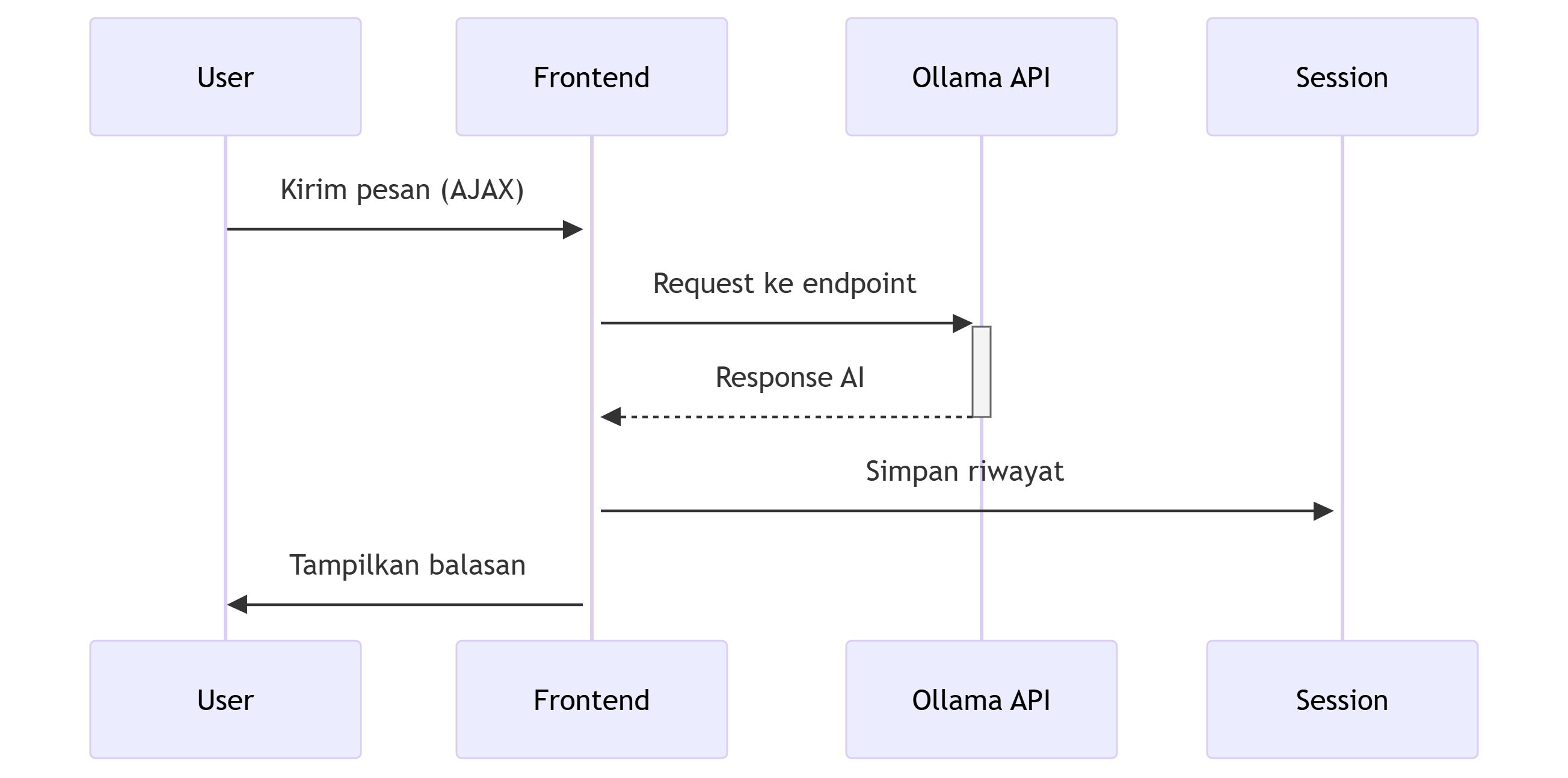
4. Configuration in Joomla Backend
In the Module Manager, the admin can configure:
- Assistant Name: The name displayed for the bot
- AI Model: Choice of model (Llama3 is the default)
- API URL: Ollama endpoint (e.g., http://localhost:11434)
5. Security
Implemented protection features:
- CSRF Token: Applied to all requests
- Input Sanitization: Uses strip_tags() and htmlspecialchars()
- License Validation: GPL header included in all PHP files
- Session Management: Chat history is stored server-side
6. Error Handling
The module handles errors through:
- User-Friendly Notifications: Clear messages shown to users when something goes wrong
- Error Logging: Errors are logged to the browser console for debugging
- Fallback Response: A default response is displayed if the API request fails (e.g., “Sorry, I'm currently unavailable. Please try again later.”)
7. This Module Is Suitable For:
- Websites that require an AI assistant
- Self-hosted AI solutions
- Local AI integration without cloud dependencies
8. Structur:
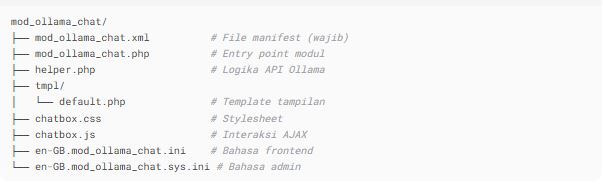
? mod_ollama_chat Module Directory Structure
-
mod_ollama_chat.xml
➤ Manifest file (required)
Used by Joomla to recognize the module: metadata, listed files, module position, etc. -
mod_ollama_chat.php
➤ Module entry point
The main file executed by Joomla to display the module on a page. -
helper.php
➤ Ollama API logic
Contains helper functions or classes, for example to communicate with the Ollama API or handle internal logic. -
tmpl/default.php
➤ Display template
This file defines how the module’s HTML output appears on the Joomla frontend. -
chatbox.css
➤ Stylesheet
Contains CSS rules to style the chat interface (layout, colors, fonts, etc.). -
chatbox.js
➤ AJAX interaction
JavaScript file used for dynamic interactions such as sending/displaying messages without page reload. -
en-GB.mod_ollama_chat.ini
➤ Frontend language file
Language file used on the website's frontend (user-facing labels and text). -
en-GB.mod_ollama_chat.sys.ini
➤ Admin language file
Language file used in the Joomla backend (for settings and admin interface).
? Brief Execution Flow
- Joomla reads
mod_ollama_chat.xmlto load the module. - When rendering the module, Joomla executes
mod_ollama_chat.php. - The entry file may call functions from
helper.php. - Output is processed and displayed using
tmpl/default.php. - The display is styled with
chatbox.css. - User interactions are handled by
chatbox.js. - Texts and labels are localized using
.inilanguage files.
Download modul Chatbot AI di Joomla 3.xx use Ollama
Video on how to install and set up the Ollama AI chatbot module